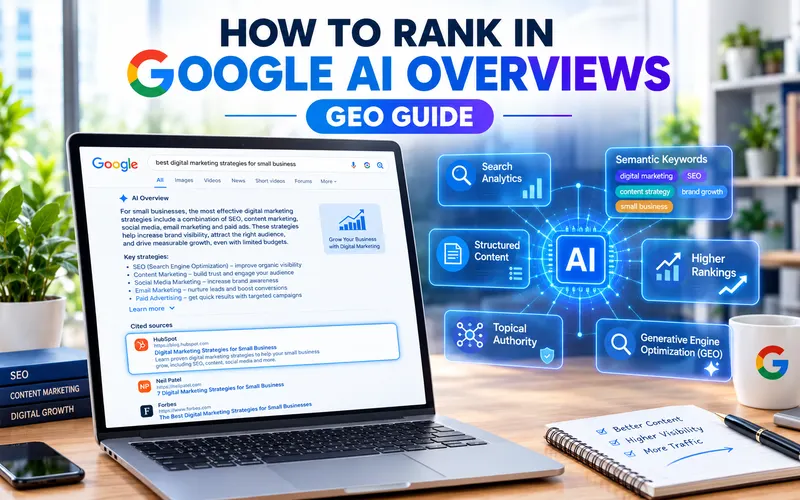
How to Rank in Google AI Overviews: GEO Guide
Posted on Oct, 29, 2026 I EliseGoogle AI Overviews now appear at the top of many search results, and they are changing how people find websites. So, how do you rank in Google AI Overviews? The short answer is simple: publish helpful content, keep your site technically healthy, and make every answer easy to find. Google’s own guidance says that SEO best practices still apply to AI features, and that no extra special optimization is required.
That is good news. You do not need a secret trick, but you do need a clear plan. This guide walks you through that plan step by step. First, you will learn what AI Overviews are. Next, you will see how Google picks its sources. Then you will get seven practical steps, a GEO vs SEO comparison, and a simple way to track your results.
What Are Google AI Overviews?
Google AI Overviews are short, AI-generated summaries that appear above the usual search results. They answer a question quickly and include links, so people can read more. In other words, Google does some of the reading for the searcher and then points them to useful sources.
AI Overviews belong to a wider set of AI features in Google Search. Another example is AI Mode, which offers a more conversational search experience. Both features show links to relevant pages, so your website still has a chance to earn visibility and clicks.
Why does this matter to you? More searches now begin with an AI summary. If your page is a useful source, it can appear there. If it is thin or unclear, it is easy to overlook.
How Google Picks Sources for AI Overviews
Google builds these summaries on top of its normal ranking and quality systems. As a result, pages that already perform well in search have a head start. Still, there is one detail worth knowing.
Google says AI Overviews and AI Mode may use a technique called query fan-out. This means the system runs several related searches across different subtopics before it writes an answer. Therefore, a page that covers a topic from several angles may fit better than a page that answers only one narrow question.
Think of it like a research assistant. Instead of reading one page, the assistant checks many pages about related questions and then combines what it finds. Your goal is to be one of the pages it trusts.
7 Steps to Rank in Google AI Overviews
These steps line up with Google’s official guide to optimizing for generative AI features. Follow them in order, or start with the ones your site needs most.
Step 1: Give a Direct Answer First
Open each section with a clear, short answer. Then add detail below it. For example, if your heading asks what query fan-out is, answer in one or two sentences straight away. Readers get what they need quickly, and an AI system can easily see what the section is about.
Step 2: Cover the Whole Topic
Because of query fan-out, a single keyword is rarely enough. List the related questions your audience asks, and answer them on the same page or in connected pages. For instance, an article about Google AI Overviews should also touch on AI Mode, tracking, and common mistakes. The People Also Ask box in Google is a handy place to find these questions.
Step 3: Add Original, First-Hand Content
Google stresses that unique, engaging, and helpful content has more impact than any other tip in its guide. So, share what only you can share: your own tests, screenshots, case studies, and opinions. Generic summaries that repeat other pages add little value. In contrast, original insight gives both Google and readers a reason to choose you.
Step 4: Keep Your Technical SEO Healthy
A great page cannot appear if Google cannot find it. Therefore, check the basics:
- Make sure your important pages can be crawled and indexed.
- Link related pages together, so content is easy to find through internal links.
- Check that your structured data matches the visible text on the page.
- Verify your site in Google Search Console to spot problems early.
Step 5: Support Your Text With Images and Video
Where it makes sense, add high-quality images and videos that explain your point. For instance, a short diagram or screenshot can clarify a step better than a long paragraph. Also, write clear alt text so images are accessible to everyone.
Step 6: Show Trust Signals
Add a visible author name, a last-updated date, and links to reliable sources. These details help readers judge your content, and they support Google’s focus on helpful, trustworthy pages. Furthermore, keep your content fresh. Update statistics and screenshots whenever things change.
Step 7: Keep Your Business Details Up to Date
If you sell products or run a local business, accuracy matters. Google recommends keeping your Merchant Center and Business Profile information current. Wrong prices, hours or addresses can hurt trust, so review them regularly.
Internal link placeholder: add a link to your own local SEO or product page guide here.
GEO vs SEO: What Is the Difference?
Generative engine optimization (GEO) means shaping your content so AI-driven search tools can understand and summarize it. SEO is the older practice of improving visibility in standard search results. In practice, the two overlap heavily.
Here is a simple way to compare them:
- SEO aims to earn a good position in the list of search results.
- GEO aims to make your content a clear, trustworthy source for AI-generated answers.
- Answer engine optimization (AEO) is a related term that focuses on answering questions directly.
- AI search optimization is a broader label that also covers tools such as ChatGPT and Perplexity.
Does that mean you need two separate strategies? Usually not. Strong SEO is the foundation, and GEO habits, such as direct answers and full topic coverage, sit on top of it. Therefore, treat GEO as an extension of good SEO, not a replacement.
Tools for Generative Engine Optimization
You can start with free tools. Google Search Console shows how your pages perform in search, and Google Analytics shows what visitors do after they arrive. Google Trends also helps you spot rising topics.
In addition, a growing number of paid generative engine optimization tools estimate how often your brand appears in AI answers. These tools can be useful for comparison. However, their numbers are estimates, so treat them as a guide rather than a final truth.
Common Mistakes to Avoid
Many sites lose ground because of avoidable errors. Watch out for these:
- Chasing tricks. Google says you do not need new machine-readable files, AI text files or special markup to appear in these features.
- Writing for machines only. Content should help people first. Clear writing helps AI systems too.
- Publishing thin pages. Short, generic pages rarely become trusted sources.
- Mismatched structured data. Markup that does not match the visible page can cause problems.
- Using preview limits by accident. Controls such as nosnippet and max-snippet limit what Google can show, which may reduce how your content appears in AI features.
How to Track Your Google AI Overviews Results
Tracking matters because you cannot improve what you do not measure. Google says that sites appearing in AI features are included in your overall search traffic in Search Console. In addition, you can track conversions and time on site in Google Analytics.
Google has also been rolling out a dedicated report. As Search Engine Land reports, Search Console now includes an AI performance report that shows how your content performs in AI responses, AI Mode, and AI Overviews. Here is a simple routine:
- Verify your site in Search Console.
- Open the AI performance report and note which pages and queries appear.
- Compare those pages with your regular search results.
- Improve pages that get impressions but few clicks.
- Repeat the check every month.
The same update also added a control that lets site owners block their content from AI features. Keep in mind that sites that opt out will not receive traffic or impressions from those features.
Conclusion
Ranking in Google AI Overviews does not require magic. Instead, it rewards the same habits that make a site great: helpful answers, original insight, a healthy technical setup, and honest trust signals. Start with a direct answer in every section, cover related questions, and check your progress in Search Console each month.
Ready to put this into action? Pick one step from this guide, apply it to your most important page today, and measure the change over the next few weeks.
FAQs
What are Google AI Overviews?
They are AI-generated summaries at the top of Google results. They answer a question quickly and link to sources so people can learn more.
Do I need special markup to appear in Google AI Overviews?
No. Google states that no extra files or special markup are required. Instead, focus on helpful content and sound technical SEO.
Is GEO different from SEO?
They overlap a lot. GEO focuses on making content easy for AI systems to understand, while SEO covers overall search visibility. Good SEO is the base for both.
How long does it take to see results?
There is no fixed timeline. Results depend on your site’s authority, your competition and how often Google recrawls your pages. Track progress monthly in Search Console.
Can I stop my content from appearing in AI features?
Yes. You can use controls such as nosnippet or noindex, and Search Console now offers an opt-out setting. However, opting out means you lose traffic from those features.


Leave a Reply